Experienced and Reliabile Hosting Service Provider! Switch to Cloudies365 and Save Upto 50% 

How to Log In or Sign In to Your Sage Intacct?

Sage Intacct login enquiries is one of the most said enquiry that asked among the users. It involves accessing an account using a username and password on the intacct website. When you login for the first time, it will require a two factor authentication process. Once you’re logged in, you will able to access your company’s financial data and utilize various features.
How To Sage Intacct Sign In for the First Time?
Navigate to the Sage Intacct Login page:
Using your preferred web browser, navigate to https://www.intacct.com/ia/acct/login.phtml.
Two Methods for Accessing Sage Intacct:
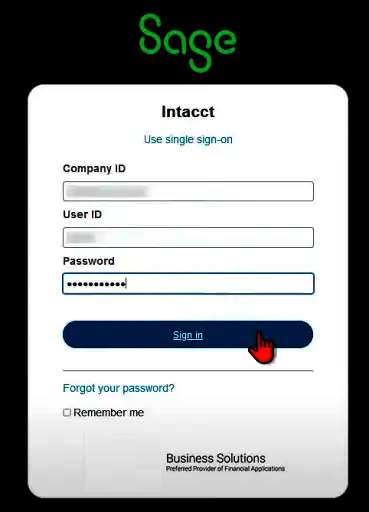
Method 1: Employ a single sign-in: A password, a user ID, and a company ID needed.
Method 2: Use a simple login Both the Company ID and the User ID are necessary.
Suggested Reading: Sage 50 Connecting to Database Error
Find Suitable Sage Cloud Hosting Plan For Your Business
Check Plans and Pricing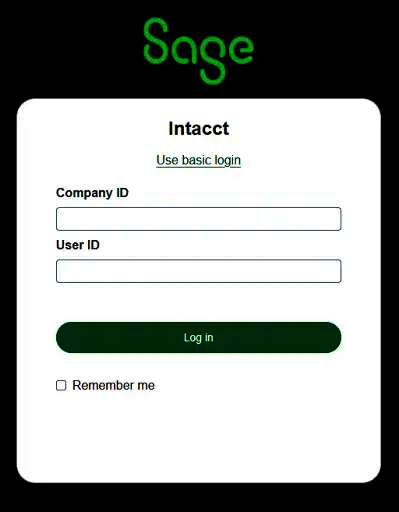
You should update your password after logging in.
Note: Be sure that your new password differs significantly from your previous one and is unique. Please abide by the password requirements as indicated in the image.
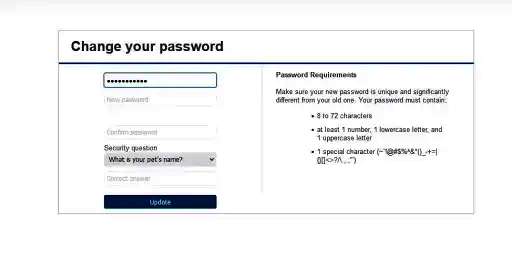
Clicking Update will take you to the verification step; simply click Next.
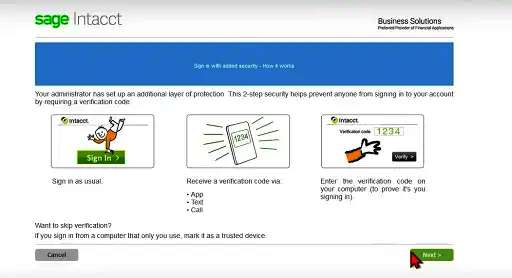
Full two-factor authentication, if relevant: Use the verification app or enter the code you sent by phone or text.
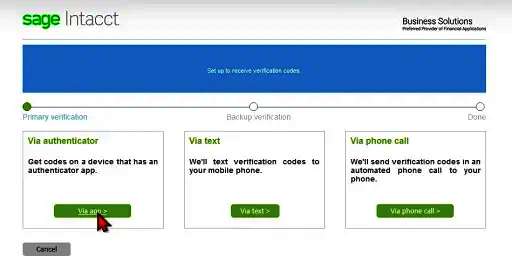
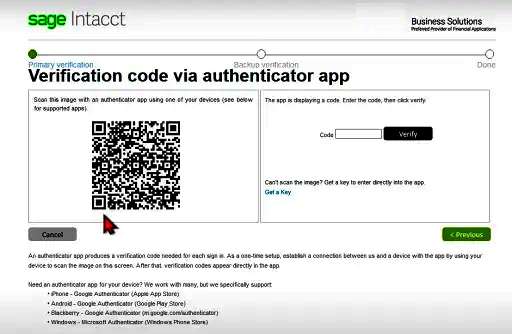
If you select the “via authentication” option, you must scan the code with the scanner, enter it in the left field, and then click “verify.”
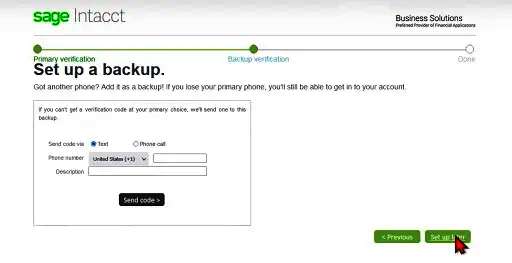
After creating a backup, select “Set up later.”
Suggested Reading: Benefits of Sage Accounting Software
Click “Yes,” now, to trust this device.
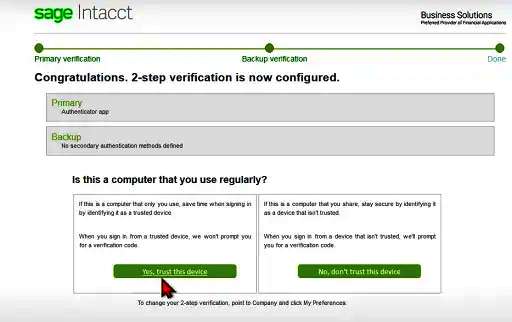
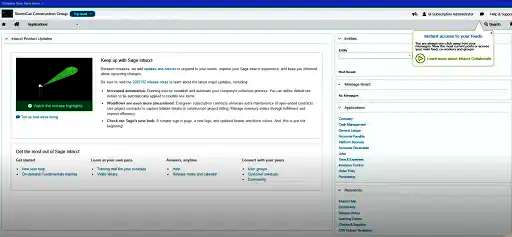
Once all the steps have completed, this screen will appear. Click proceed to proceed.’

Steps for logging in can successfully completed before moving on to the setup procedure.
Conclusion
It’s simple to log into Sage Intacct, but make sure you have the right login information and are following the right procedures. Recall that the administrator of your organization configures your access and gives you the login credentials. Please contact your corporate administrator for help if you have any difficulties signing in, such as forgotten credentials or an account that has disabled.
