Experienced and Reliabile Hosting Service Provider! Switch to Cloudies365 and Save Upto 50% 

Zero Client: Everything You Need to Know About

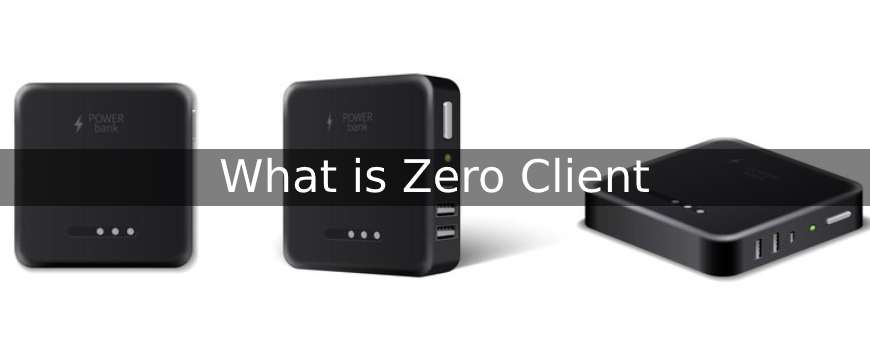
A Zero Client type of computer intended to a thin and effective endpoint for cloud-based apps or virtual desktops. Zero clients lack an operating system and storage, in contrast to conventional desktop PCs or thin clients. Rather, they run apps and store data solely on the server or cloud architecture.
What needed in this situation? With our smartphones and computers functioning flawlessly, why come up with such a solution? In a perfect world, classic desktop computers fulfill our needs and everything functions as it should. But since the world isn’t ideal, there will always be ups and downs when an organization goes about its everyday business. A company’s ultimate objectives are to maximize ROI, reduce TCO, and optimize cloud expenses.
This is the point at which many inventive and imaginative ideas became apparent. Zero client technology was one such example. Let’s examine what a Zero client actually is and the potential long-term effects it may have on a company. We’ll use IT firms as an example in the future to discuss some actual scenarios where Zero Client can used. Keep in mind that depending on their needs, other industries may have different implementations.
What is a Zero Client?
Let’s look at an example to better understand this: An employee’s career decisions solely influenced by the work environment they desire in an organization. Thus, redistributing and employing resources is a never-ending loop. Managing the diverse needs of employees with respect to workspace and device choices will require a significant amount of work. Additionally, with the popularity of working from home growing. It is now essential for businesses to implement new technologies that can assist them in addressing these issues.
A Zero Client is a remote display device that connects to a server. Then runs all computations entirely on the server’s resources. In virtual desktop infrastructure (VDI) systems, where several users connect to a centralized server to access their desktop and software. Zero clients are especially helpful.
A zero client is usually a small piece of hardware with low RAM, CPU, and storage capacity. They use remote desktop protocol (RDP) or other network protocols to establish a connection with a central server or cloud infrastructure, after which they show the user the virtual desktop or application. Zero clients are applicable in a number of contexts, such as public computing areas, healthcare facilities, enterprise environments, and educational institutions.
Reduced hardware costs, easier management and maintenance, and enhanced security and data protection are just a few benefits of this strategy. Additionally, it allows the company to grow or contract as needed, adding or deleting Zero Clients in response to fluctuations in the number of developers and computing needs.
Zero clients might be an affordable option for businesses that need to give a large number of people access to virtual desktops or cloud-based apps because they require little setup or upkeep. By centralizing resources and lowering the requirement for local storage and processing power, they can also aid in lowering energy usage and streamlining IT management.
Suggested Reading: VDI vs RDS: What’s the Difference and How to Choose?
How is Zero Client Beneficial?
Zero Client has its own benefits that makes the business productive. It provides you a different approach over the traditional methods, especially Virtual Desktop Infrastructure. Here are some of the main benefits of Zero Client:
- Cost-friendly: If we compare traditional desktops, laptops, thin clients etc with Zero clients, we have to say that zero client is more cost friendly. It has the potential to fit mostly everyone’s business. The reason they are completely cost effective because they have no local storage or operating system. Moreover, the cost of maintenance and upgrades is minimal, as zero clients can run years without any major faults.
- User-Friendly Management: Zero Clients are far easier to manage and maintain than standard desktops because of their straightforward design and lack of moving parts. From a single location, IT managers can oversee every Zero Client. They can quickly replace a malfunctioning Zero Client with a new one in the case of a problem, reducing downtime.
- Efficient Security: In order to lower the possibility of sensitive data breaches, Zero Clients made to operate on distant servers that store data and applications. Furthermore, data not saved on Zero Clients since they lack local storage, which makes it far more difficult for someone to take data from a lost or stolen Zero Client.
- Enhanced Performance: Zero Clients can function as a terminal or remote display by offloading all computing resources, such as memory, processing power, and storage, to distant servers. This guarantees that, even on outdated technology, the Zero Client offers quick and rapid access to programs.
- Essential Productivity: Ensuring a dependable and uniform user experience across all devices to access the virtual desktop environment made possible by Zero Clients. This implies that workers will always have access to the same apps and data necessary for productivity, regardless of where they are in the world or the device they use to do so.
Thin Client Vs Zero Client
Two popular computing device types used in workplace settings to access a virtualized desktop environment are Thin Clients and Zero Clients. The primary distinction between the two is the amount of storage and processing power that each device has.
Suggested Reading: What is VDI Thin Client
A thin client is a small computing device that mostly depends on a central server for its storage and processing requirements. It usually has a modest amount of memory, little computing power, and little local storage. Since the majority of the processing and storage capacity housed on a central server that several thin clients can access at once, thin clients intended to be straightforward and reasonably priced.
A zero client, on the other hand, is a device that has no local processing or storage power. Instead, all computational tasks managed by a single central server. Endpoints connected to a centrally hosted virtualized desktop environment show zero clients. They need little upkeep and are less likely to become infected with viruses or malware.
Both thin and zero clients offer users access to a virtualized desktop environment via which they can execute apps and retrieve data from a distance. However, thin clients are significantly more expensive to buy and operate since they need a little bit more processing power and storage space than zero.
It is because thin clients still have certain exposed local storage which remains more vulnerable to security. This helps in avoiding breaching. Moreover, because of the local storage it is also prone to viruses and malwares. However, on the contrary, zero clients seem to be more secure since they have no local memory or storage.
This is why the final decision whether to choose zero client and thin client depends on the set terms. Requirements that you have from the software in regards to your business. Even though zero clients are more secure and require less maintenance. Thin clients said to be more adaptable and offer great features for your business.
What is VDI?
Through the use of technology called virtual desktop infrastructure, or VDI. Users may access their data, apps, and desktop environment from a distance. A virtual machine (VM) built on a centralized server in a virtual desktop infrastructure (VDI). And houses the desktop operating system and applications. Through a remote display protocol, which sends the graphical user interface and user input to the server and receives the server’s response, the user communicates with this virtual machine.
VDI includes a lot of benefits like improved security,centralized management, maintenance cost etc, for the organization. With VDI, IT executives will be able to control the business and help in building a proper secured management. It also enables the management of software in a more efficient way which leads to its growth. With this the resources will used efficiently and it will also reduce certain responsibility of the IT Professionals. Moreover, it also leads to cost cutting on expensive hardware and software licenses.
Conclusion
Businesses and SMBs who need flexible configuration in their infrastructure can easily supported by Thin and Zero clients. Even though both of these technologies are comparable, an organization’s decision-maker must determine which solution best matches their infrastructure. In the long run, combining two effective technologies (Zero Client + VDI) will yield positive outcomes. Organizations may concentrate more on enhancing their services rather than spending valuable time on operations. Thanks to the scalability option and simple setup.
